Aug 27th, 2020



Positions may not always be correct for many reasons. The most common being either a stock split or some other corporate action.
Please follow the instructions below to adjust positions where needed.
From the Sterling Trader Manager platform you will go to the main toolbar > windows > position summary
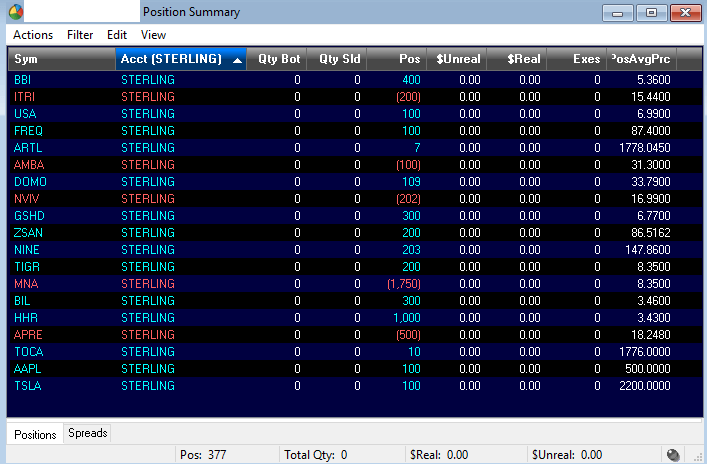 From this point you can filter for symbols or accounts by right-clicking over the column header > Filter > Add/Edit Filter…
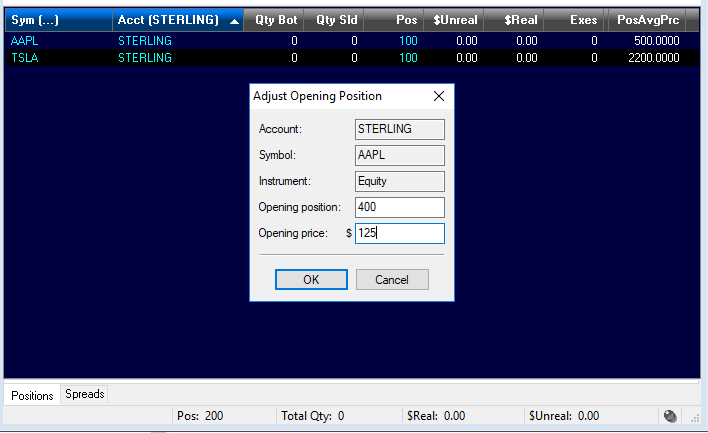
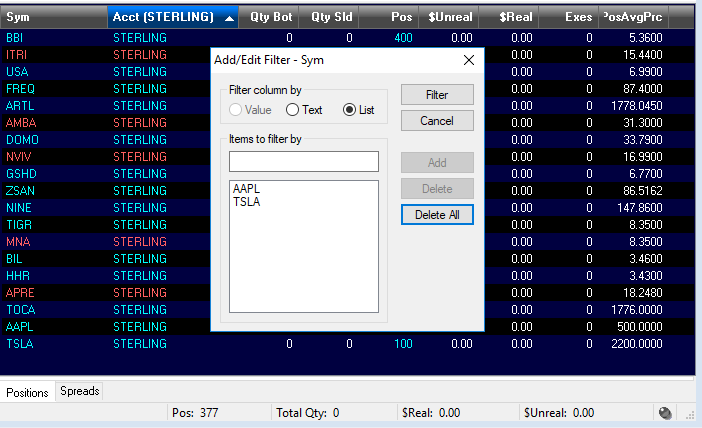 Once those filters are in place you can simply right-click over the position you would like to adjust > Opening Position > Adjust > input the new opening position and price
Account STERLING is long 100 AAPL @ $500, to accommodate for the 4-for-1 split it will need to be adjusted to 400 shares @ $125
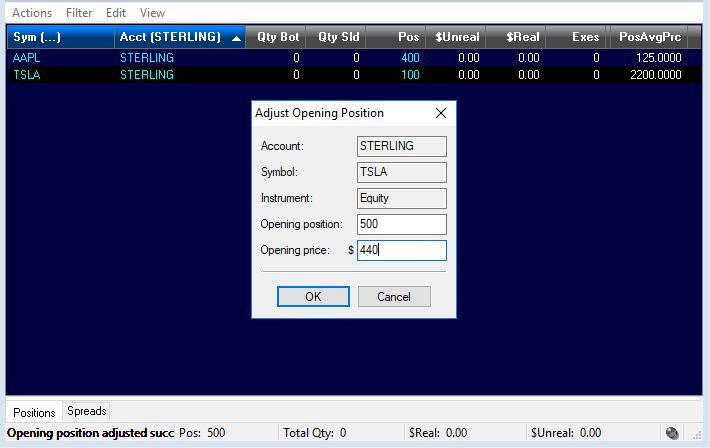
 The same process will be used to update Tesla’s 5-for-1 split as seen below. Account is long 100 @ $2200, adjusted to 500 shares @ $440
 You can see that both positions are now reflective of their splits:

We look forward to learning more about your trading needs.

What Doesn't Change: Pre-Trade Risk Controls, 15c3-5 and What's Next
Blog Series: The 611 Question | Part ...

Preparing for a Post-611 World: Transition, Routing, and the Patchwork
Blog Series: The 611 Question | Part ...

Sterling Risk & Margin Wins Best Margining Solution at Risk Asia Awards 2026
Award recognizes Sterling’s real-time margin management for brokerages and trading firms ...

When 611 Is Gone, Best Execution Is the Safeguard
Blog Series: The 611 Question | Part ...
